




Samsung TV Sync Ecosistema Kit EUA
Shipping
Order will typically be processed within 24 hours.
Estimated Shipping Time:
- USA:3-7 Business Days
- Europe: 7-10 Business Days
Compatibility
Row content
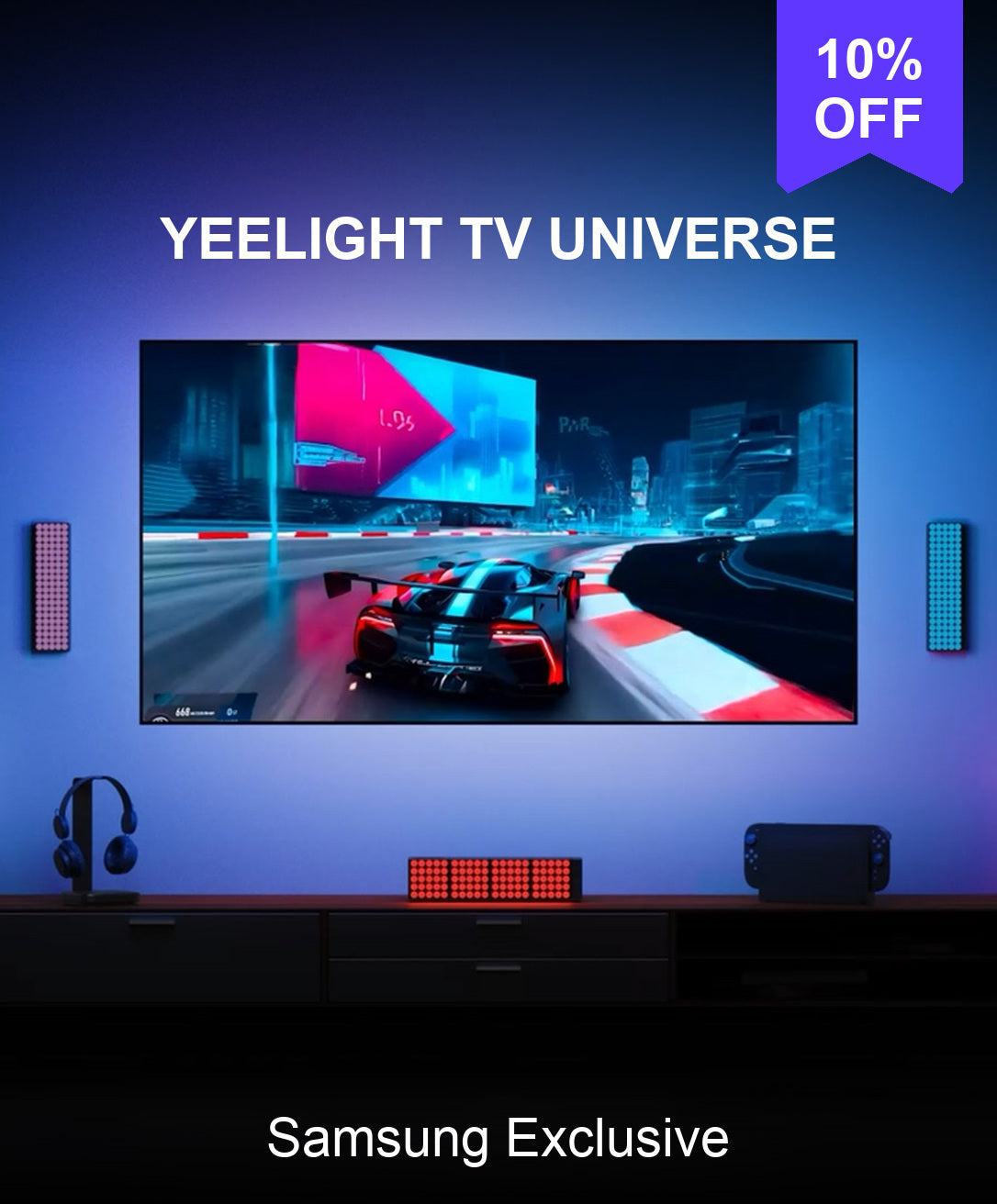
- .Nenhuma ponte/ caixa de sincronização/ câmera/ cabo extra necessário para Samsung Smart TV Sync .Apareça filmes, shows e jogos numa experiência mais imersiva com a seleção de cores baseada em software. A retroiluminação segue cores na ecrã sem uma câmera, Hue Bridge ou Sync Box. Nota: Certifique-se de que você pode baixar o Yeelight App na TV. A disponibilidade pode variar de acordo com o modelo de TV e região.
- .Flexível Ajuste para 81,28 cm (32′′)–254 cm (100′′) TVs Incluídos 2 m de tira LED cabe 81,28 cm (32′′)–109,22 cm (43′′) configurações de luz de TV. Para TVs maiores, adicione o kit de extensão: 1 kit para 139,7 cm (55′′) ou 165,1 cm (65′′) TVs, 2 kits para 190,5 cm (75′′) ou 215,9 cm (85′′) TVs e 3 kits para 248,92 cm (98′′) ou 254 cm (100′′) TVs. Kit de extensão ASIN: B0HF4C8FF1. Escolha a quantidade necessária com base no seu tamanho de TV. A base preta flexível senta-se discretamente atrás da sua TV, e pontos de corte marcados ajudam a adaptar o comprimento. Utilização interior apenas. Secções de corte não podem ser reconectadas.
- .Configuração fácil de aplicações Instale o aplicação de TV Yeelight na sua TV compatível Samsung, em seguida, conecte a faixa de TV e LED à mesma rede. Use o aplicação Yeelight sobre 2.4 GHz Wi-Fi e Bluetooth para configurar e controlar a sua iluminação. Controlador, cabos, adaptador de alimentação e suporte adesivo estão incluídos.
- Controlo por aplicação e por voz. Ajuste as cores, o brilho, os efeitos e os cenários na aplicação Yeelight. A compatibilidade com Matter permite a ligação a plataformas de casa inteligente compatíveis, incluindo Apple Home, Google Home, Amazon Alexa e SmartThings.
- .16 Milhões de cores e efeitos dinâmicos Ajuste o humor para noites de filme, jogos, festas, ou decoração diária com 16 milhões de cores e efeitos, como ciclismo de cores, pulsação, perseguição e padrões fluindo.
- . Controlo individual LED e Graffiti Pixel Personalize contas LED individuais para criar suas próprias cores, padrões e animações.Faça efeitos Graffiti Pixel que se adaptam ao seu quarto, configuração de entretenimento, ou humor.
- .A música sonora e a sincronização de jogos Faça a iluminação responder ao som, música, filmes e jogos circundantes. Escolha modos como respiração, brilho, espectro e convergência para uma atmosfera mais dinâmica.


FAQ
Is my Samsung TV compatible?
Samsung TV models from 2022–2026 are supported. Before purchasing, check your TV’s model year and confirm that the Yeelight sync app can be installed and run on your TV.
Why can I control the light strip with the button but not sync it with my TV?
Check that your Samsung TV is compatible and that the correct Yeelight apps are installed on your TV and phone. Then follow the pairing instructions in the apps. If syncing still does not work, check your network connection and try pairing again.
Why has the TV app disappeared or stopped working after a TV firmware update?
A Samsung Tizen firmware update may affect the availability or compatibility of the Yeelight sync app. If the problem started after an update, contact us with your TV model, firmware version, and a screenshot of any error message so we can help investigate. This does not necessarily mean the light strip is faulty.
What should I do if the lights lag, change colors abruptly, or flicker?
Make sure all light strip connectors are secure, then restart the light strip and check your network connection. Also, confirm that the total light strip length set in the TV app matches the actual connected length. If the issue continues, contact us for further troubleshooting.
Why isn’t my extension strip lighting up?
Check that the “Light Strip Length” setting in the TV app matches the total length of all connected strips. Also, make sure the extension strip is firmly connected.
Can I install the light strip around all four sides of my TV?
The light strip supports syncing along the top, left, and right edges of your TV. The bottom edge is not supported as a fourth sync zone. Follow the product’s installation guide and use a layout supported by the TV app.
How much light strip do I need, and can I add extensions?
Measure along the top, left, and right edges where the strip will be installed, rather than around the full TV perimeter.
The main strip is 2 meters long and supports up to three extension packs, for a maximum total length of 5 meters. Included items vary by kit size and version, so check the product page and your order details before purchasing. Compatible extension packs can be purchased separately if you need additional length.
If the items you receive do not match your order, contact us with your order number.
How should I install the light strip and route it around corners?
Remove dust and grease from the mounting surface and let it dry completely before installation. Press the strip firmly into place and follow the illustrated installation guide when routing it around corners. If you need a copy of the guide or help with a particular corner, contact us before installation.
Why has only part of my order arrived?
Some orders may arrive in more than one parcel. If you have received only part of your order or cannot find tracking information for the remaining items, contact us with your order number. We’ll check the shipment status and help you locate the rest of your order.
You may also like
Combine your style with these products
-
80%OFF

 Luzes permanentes de Yeelight ao ar livre From $9.99$49.99/
-
65%OFF

 Luzes de Cordas de Festa de Yeelight From $21.00$59.99/
-
13%OFF

 Yeelight RGBIC LED Luzes básicas de tira From $12.99$14.99/
-
30%OFF

 Yeelight LED tira de luz Pro From $11.89$16.99/


