
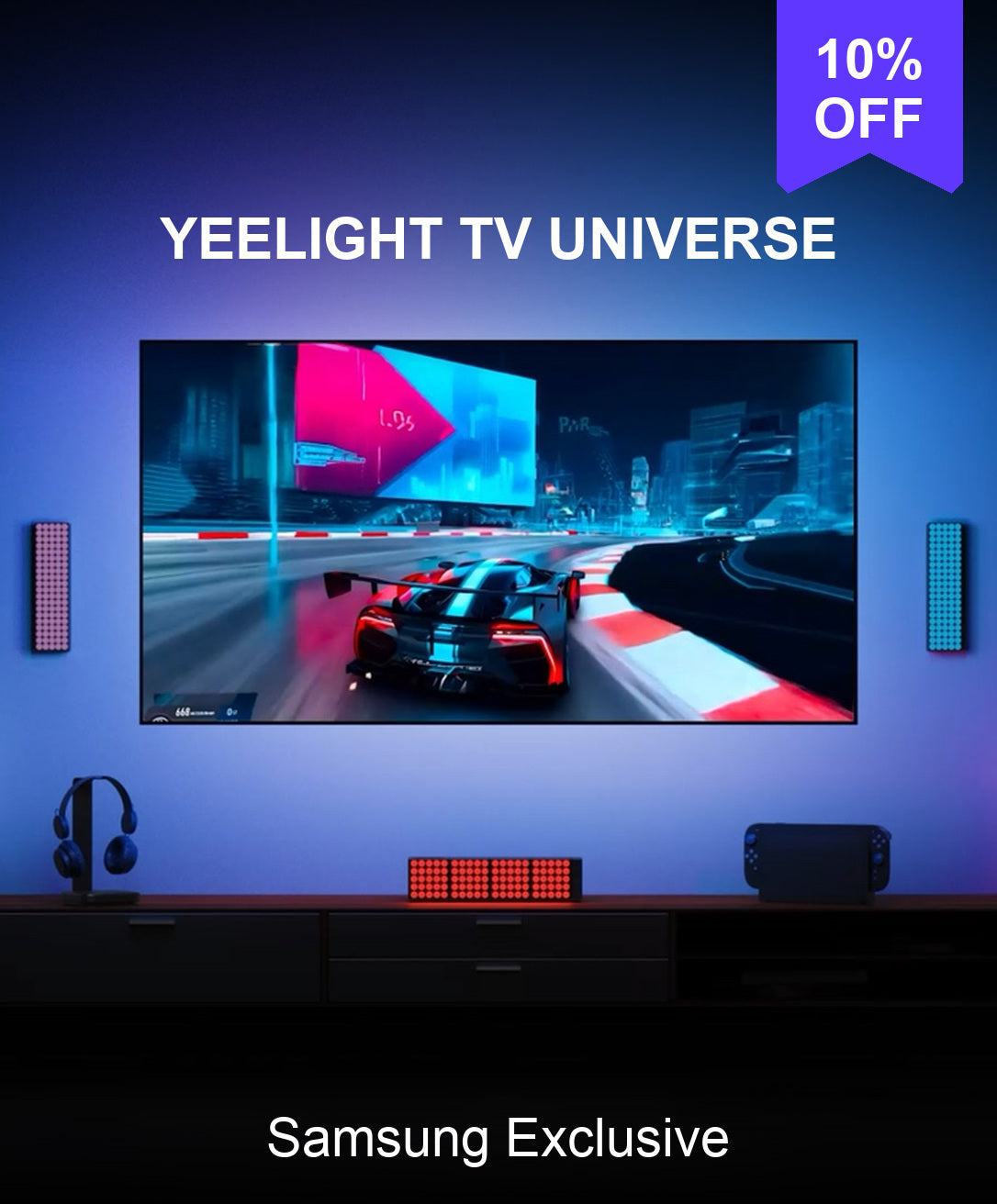




Kit del ecosistema de sincronización con TV Samsung para EE. UU.
Shipping
Order will typically be processed within 24 hours.
Estimated Shipping Time:
- USA:3-7 Business Days
- Europe: 7-10 Business Days
Compatibility
Row content
- 【Sin puente, caja de sincronización, cámara ni cable adicional para sincronizar con televisores Samsung Smart TV】Convierte películas, series y juegos en una experiencia más inmersiva gracias a la selección de colores en pantalla mediante software. La tira de luz sigue los colores de la pantalla sin necesidad de cámara, Hue Bridge ni caja de sincronización. Nota: Asegúrate de poder descargar la aplicación Yeelight en el televisor. La disponibilidad puede variar según el modelo de televisor y la región.
- 【Compatible con televisores de 32"–100"】La tira LED incluida de 6.56 ft es compatible con instalaciones de retroiluminación para televisores de 32"–43". Para televisores más grandes, añade el kit de extensión, que se vende por separado: 1 kit para televisores de 55" o 65", 2 kits para televisores de 75" o 85" y 3 kits para televisores de 98" o 100". ASIN del kit de extensión: B0HF4C8FF1. Elige la cantidad necesaria según el tamaño de tu televisor. La base negra flexible queda discretamente detrás del televisor y las marcas de corte permiten ajustar la longitud. Solo para uso en interiores. Las secciones cortadas no se pueden volver a conectar.
- 【Fácil configuración con la aplicación】Instala la aplicación Yeelight TV en tu televisor Samsung compatible y conecta el televisor y la tira LED a la misma red. Usa la aplicación Yeelight con Wi-Fi de 2.4 GHz y Bluetooth para configurar y controlar la iluminación. Se incluyen el controlador, los cables, el adaptador de corriente y el adhesivo.
- 【Control inteligente mediante la aplicación y la voz】Ajusta los colores, el brillo, los efectos y las escenas en la aplicación Yeelight. La compatibilidad con Matter permite conectarlo a plataformas de hogar inteligente compatibles, como Apple Home, Google Home, Amazon Alexa y SmartThings.
- 【16 millones de colores y efectos dinámicos】Crea el ambiente ideal para noches de cine, videojuegos, fiestas o la decoración cotidiana con 16 millones de colores y efectos como cambios de color, pulsaciones, persecuciones y patrones fluidos.
- 【Control individual de los LED y grafiti de píxeles】Personaliza cada LED para crear tus propios colores, patrones y animaciones. Crea efectos de grafiti de píxeles que se adapten a tu habitación, equipo de entretenimiento o estado de ánimo.
- 【Sincronización con música y juegos, reactiva al sonido】Haz que la iluminación responda al sonido ambiental, la música, las películas y los juegos. Elige modos como Respiración, Brillo, Espectro y Convergencia para crear un ambiente más dinámico.


FAQ
Is my Samsung TV compatible?
Samsung TV models from 2022–2026 are supported. Before purchasing, check your TV’s model year and confirm that the Yeelight sync app can be installed and run on your TV.
Why can I control the light strip with the button but not sync it with my TV?
Check that your Samsung TV is compatible and that the correct Yeelight apps are installed on your TV and phone. Then follow the pairing instructions in the apps. If syncing still does not work, check your network connection and try pairing again.
Why has the TV app disappeared or stopped working after a TV firmware update?
A Samsung Tizen firmware update may affect the availability or compatibility of the Yeelight sync app. If the problem started after an update, contact us with your TV model, firmware version, and a screenshot of any error message so we can help investigate. This does not necessarily mean the light strip is faulty.
What should I do if the lights lag, change colors abruptly, or flicker?
Make sure all light strip connectors are secure, then restart the light strip and check your network connection. Also, confirm that the total light strip length set in the TV app matches the actual connected length. If the issue continues, contact us for further troubleshooting.
Why isn’t my extension strip lighting up?
Check that the “Light Strip Length” setting in the TV app matches the total length of all connected strips. Also, make sure the extension strip is firmly connected.
Can I install the light strip around all four sides of my TV?
The light strip supports syncing along the top, left, and right edges of your TV. The bottom edge is not supported as a fourth sync zone. Follow the product’s installation guide and use a layout supported by the TV app.
How much light strip do I need, and can I add extensions?
Measure along the top, left, and right edges where the strip will be installed, rather than around the full TV perimeter.
The main strip is 2 meters long and supports up to three extension packs, for a maximum total length of 5 meters. Included items vary by kit size and version, so check the product page and your order details before purchasing. Compatible extension packs can be purchased separately if you need additional length.
If the items you receive do not match your order, contact us with your order number.
How should I install the light strip and route it around corners?
Remove dust and grease from the mounting surface and let it dry completely before installation. Press the strip firmly into place and follow the illustrated installation guide when routing it around corners. If you need a copy of the guide or help with a particular corner, contact us before installation.
Why has only part of my order arrived?
Some orders may arrive in more than one parcel. If you have received only part of your order or cannot find tracking information for the remaining items, contact us with your order number. We’ll check the shipment status and help you locate the rest of your order.
You may also like
Combine your style with these products
-
80%OFF

 Luces permanentes para exteriores Yeelight A partir de $9.99$49.99/
-
65%OFF

 Guirnaldas de luces festivas Yeelight A partir de $21.00$59.99/
-
13%OFF

 Tiras LED básicas RGBIC Yeelight A partir de $12.99$14.99/
-
30%OFF

 Tira de luz LED Yeelight Pro A partir de $11.89$16.99/


